Introducing RoadEng Version 12

V12 is coming soon


Inspired by your feedback,
built for your projects


RoadEng 12 is inspired by real user feedback. We listen to your challenges and adapt our software to make design easier: now with enhanced hydrology tools, smarter intersections, and the new Path Explorer AI for networks. RoadEng is built to make your everyday work faster, simpler, and more optimized than ever.


Path Explorer AI:

  • Batch Processing
  • Speed Improvements
  • Waypoint (A-B-C)

Terrain Module:

  • Grading Improvements
  • Polygonize Tools
  • Digital Planting
  • Buffer with Benching
  • Buffer to Polygon
  • Buffer visualization Improvements


Location Module:

  • 3D Road Cuts
  • Hydrology in Location
  • Join Alignments
  • Reverse Alignments
  • Intersection Tool
  • New Templates
  • 3D View in Multiplot
  • Linework by Alignment
  • Ability to update / change Terrain reference files

                  + more!


Path Explorer AI Improvements*

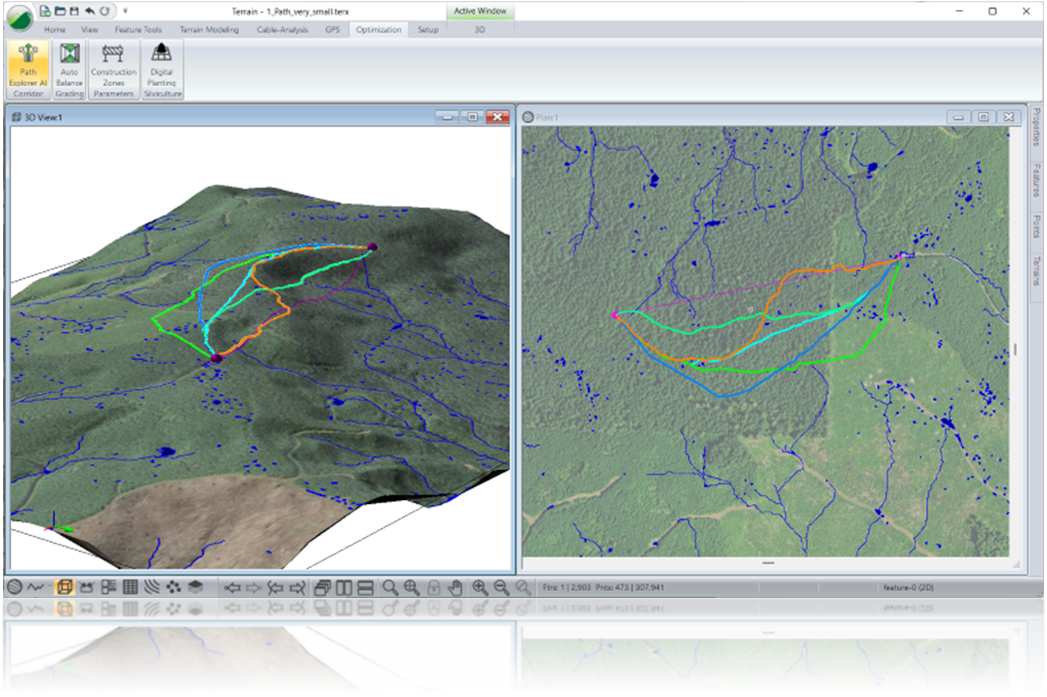
  • Better Results Challenging Terrain— stronger algorithms allow Path Explorer to runs 5-10x faster in difficult terrain.

     
  • Batch Process— batch processing of multiple Path Explorer segments in one run.

     
  • Waypoints (A-B-C)— create Path Explorer outputs through required waypoints (including control points).

     
  • Bolder Linework— improvements to Path Explorer outputs & visualization
*Requires a valid Softree Optimal license with active support/subscription.

Terrain Module Improvements

  • Buffer to Polygon Tool— Quickly generate buffer polygons around existing features. Ideal for defining areas such as stream corridors, enabling seamless integration into Path Explorer Construction Zones.

     
  • Grading Enhancements— Improved grading tools make it easier to understand direction and apply grading correctly—eliminating confusion around inside vs. outside grading.

     
  • Polygonize Function— Generate polygons directly from the TIN based on elevation, slope, or aspect. Useful for defining No-Go Areas in Path Explorer, enhancing visual aids, and supporting Digital Terrain and Planting tools.
     
  • Digital Pre-Planting— Plan tree planting with RoadEng to account for mechanical harvesting limits. Automatically create planting features on steep and moderate slopes that respect operational constraints.
     

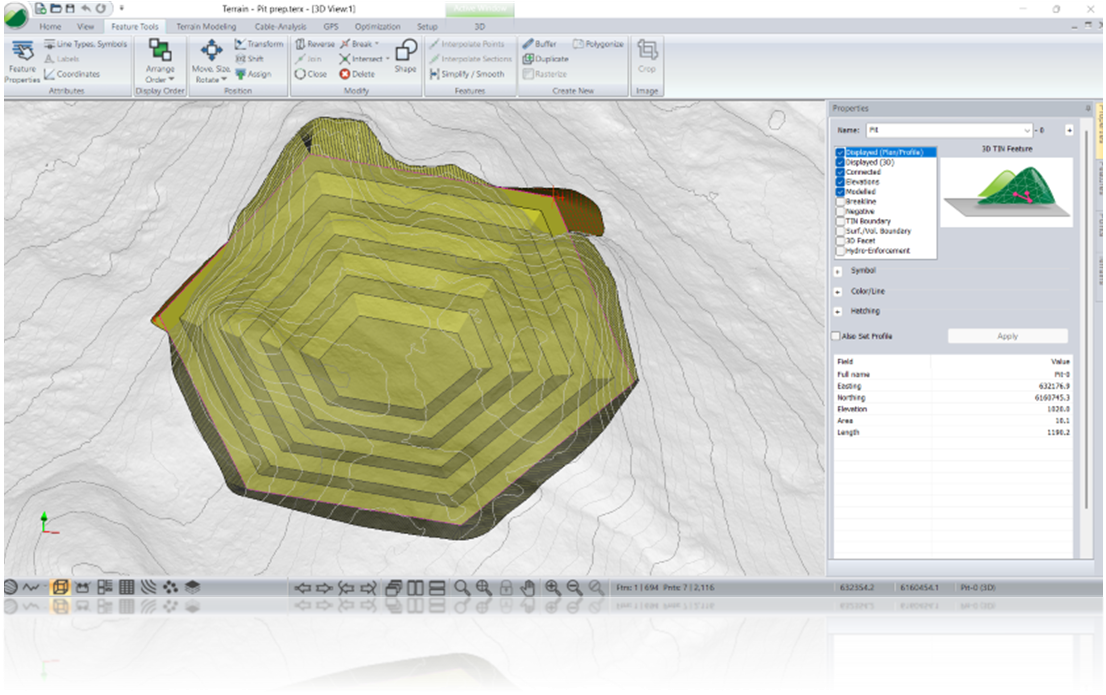
  • Multiple Buffer Feature— Create a series of features with a single click for easier creation of benches walls and pits.


Location Module Improvements

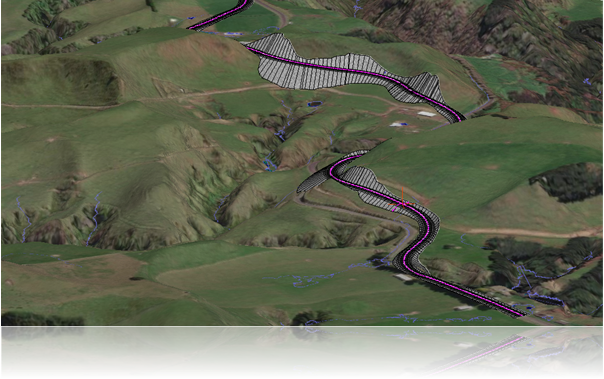
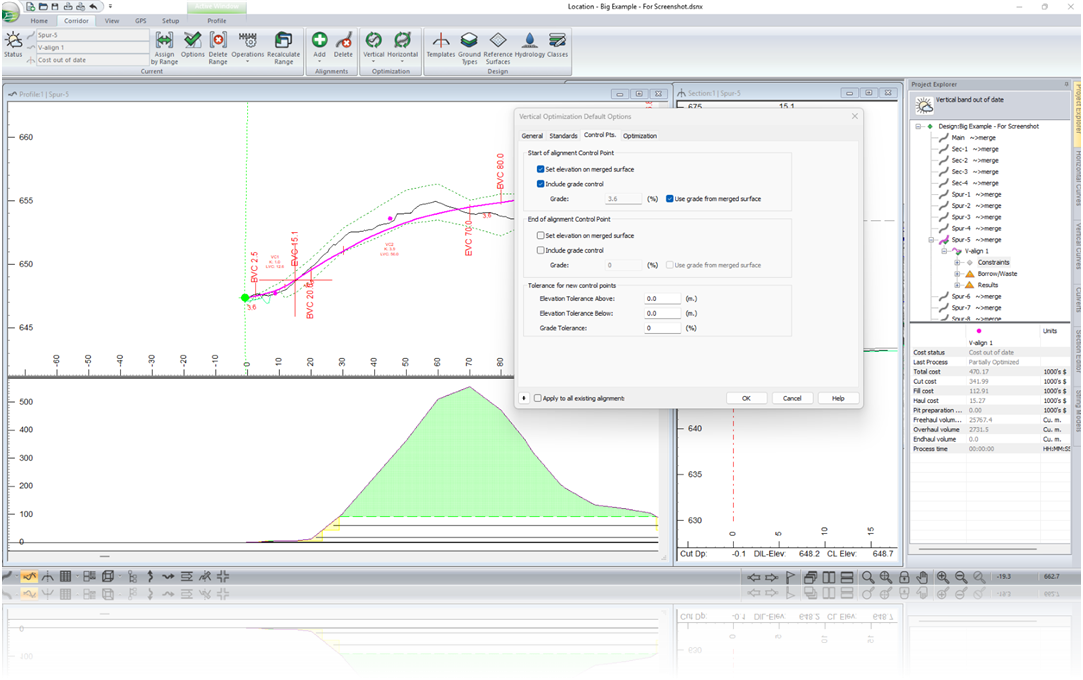
  • 3D Road Cuts — Get instant 3D road cut visualization right in the Location module. No exports, no extra steps—just faster, clearer results.

     
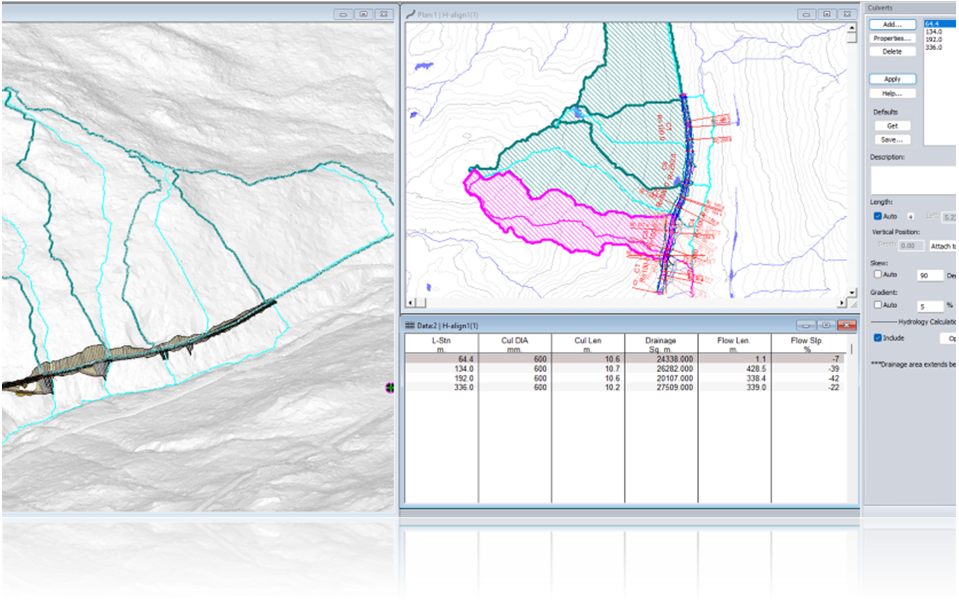
  • Hydrology in Location — Building on the redesigned hydrology tools introduced in V11, V12 brings them into the Location module. Tools include Streams / Ponds and Drainage Area to a Point (ideal for culvert catchments). Account for drainage as you design.

     
  • Join Alignments— New Function to connect alignments together. Ideal for long projects where design work is completed in sections.

     
  • Reverse Alignment— ​​​​​​ One click reversal of alignment direction and stationing. One of the most common support requests, now easier than ever.

     
  • 3D Viewpoints— Easily create 3D viewpoints in the Location module, add them to a multiplot, and explore them directly in the 3D view for better visualization and project insight.

     
  • Linework by Alignment— Control linework by individual alignments. Define linework settings by road class. Create better outputs.

Intersections

  • RoadEng now supports creating intersections, a workflow that used to be complicated.
  • Define multiple intersecting roads, manage geometry and grades, and ensure smoother transitions between road segments—all within a single, integrated workflow.

Support-Exclusive Features

Unlock powerful tools designed to elevate your workflow and maximize your investment in RoadEng and Softree Optimal. Our continued expansion of support-exclusive offerings reflects our commitment to helping clients succeed while driving innovation forward.

Included with annual support (perpetual licenses) or 1-year subscription licenses:

  • Path Explorer AI (Softree Optimal)
  • Intersection Tool
  • Digital Pre-Planting (Softree Optimal)
  • Hydrology Tools in Location
  • Smart Curves (Softree Optimal)

How to Get Version 12