RoadEng
®
Forest Engineer
is an easy to use software toolkit for planning and designing forest operations.
It includes the functions of
Terrain Tools
®
Forestry
(traverse field note capture,
mapping and cable logging analysis) and low volume road design. The
following features are included:
Traverse Note Entry
The Survey/Map module provides facilities for field note capture,
adjustment and display. It can be used with a variety of survey equipment and
accuracy requirements, including clinometer/compass, theodolite, level and EDM.
A complete range of survey data management facilities from field note entry to
production of scaled maps is provided.
Two main screens are available for entering and manipulating survey data; a customized
spreadsheet for field note capture (Traverse Screen ) and a plan
display window for displaying one or more traverses (Map Screen).
Mapping
Terrain Tools Forestry includes quick and easy mapping functions
package ideally suited for the busy forest engineer who is not a GIS
specialist.
Maps can be quickly created using information from a variety
of industry standard formats such as ArcView® shape, Microsoft Excel®,
ASCII, DWG, USGS DEM, and LandXML. Bitmap images can also be included in
JPG, BMP, TIF, ECW or Mr.Sid formats.
Features can be selected, edited, formatted and manipulated by name,
coordinate range, property or layer. Operations are provided to move, scale, rotate, intersect,
break, join and offset features. CAD functions are provided for control of
color, linetype, symbols, hatching, and annotation of distances, bearings,
stations etc.
Site Plans
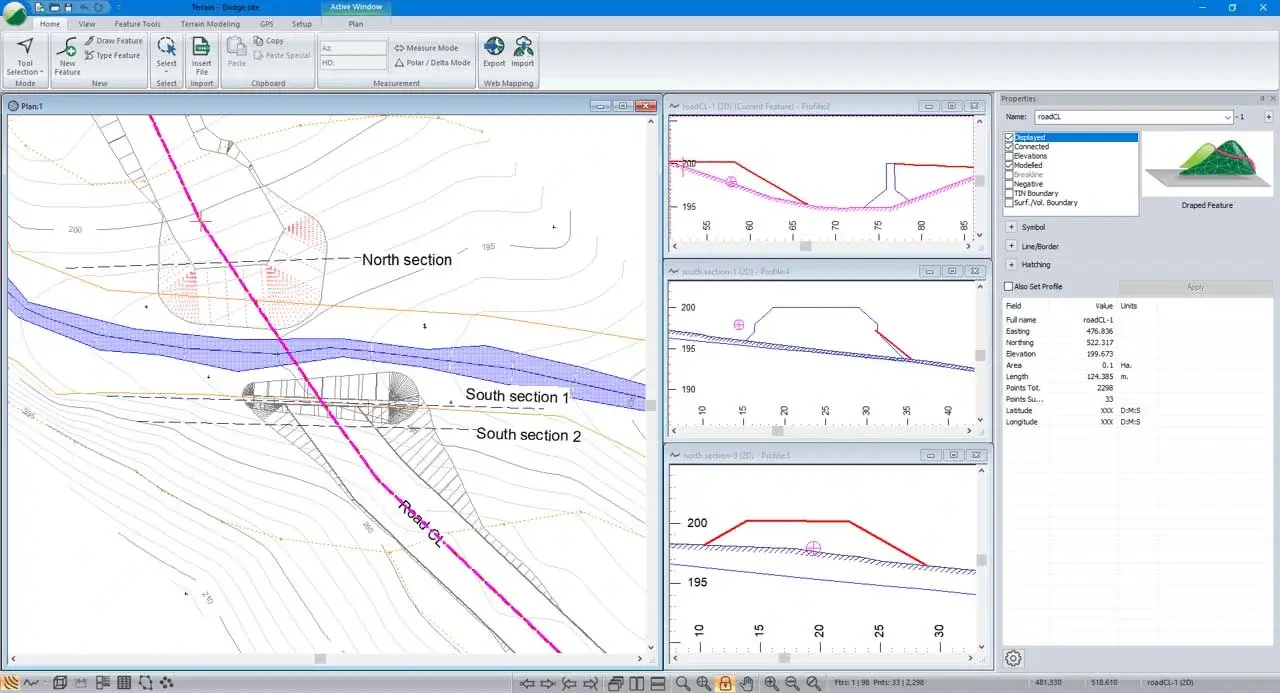
A complete set of tools for creating site plans for
bridges, log-dumps, major culverts, fish passage and stream restoration projects.
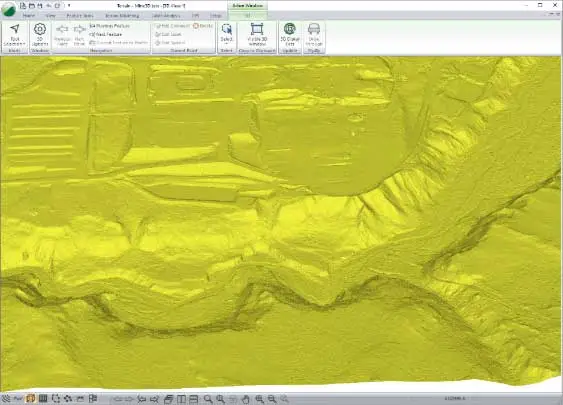
A 3D Digital terrain model (DTM) and contours can be generated at user specified intervals.
The DTM can be viewed in a variety of formats such as shading by elevation, slope/aspect, light source, slope flow lines, or
3D perspective display. Profiles can be created by 'draping' a feature over a digital terrain model. Profile elevations are
calculated instantaneously from the model and displayed in a profile window.
Design and grading functions are provided in both Plan and Section. Earthwork quantities between surfaces
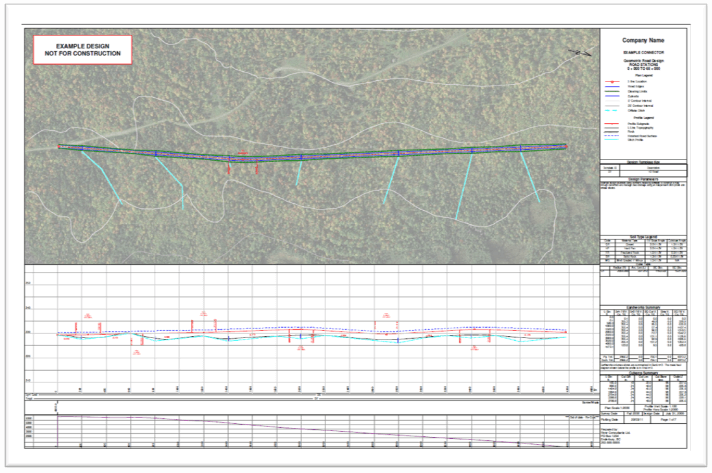
can be calculated and exported to a spreadsheet. Output such as Plan/Profile sheets can be printed or exported to CAD (in DWG format).
Cable Logging
The Cable Analysis module provides functions for analyzing cable
harvesting systems. Operating in conjunction with the Terrain and
Survey/Map modules, this module simulates most common logging systems
including highlead, running, standing and live skylines.
Working from either 'field run' profiles or contour maps the user
can analyze payload, clearance, and line tensions. Different types of
equipment and logging configuration can be rapidly evaluated.
Alternately, a planner can do a quick preliminary analysis of %
deflection without getting into technical details.
Low Volume Road Design
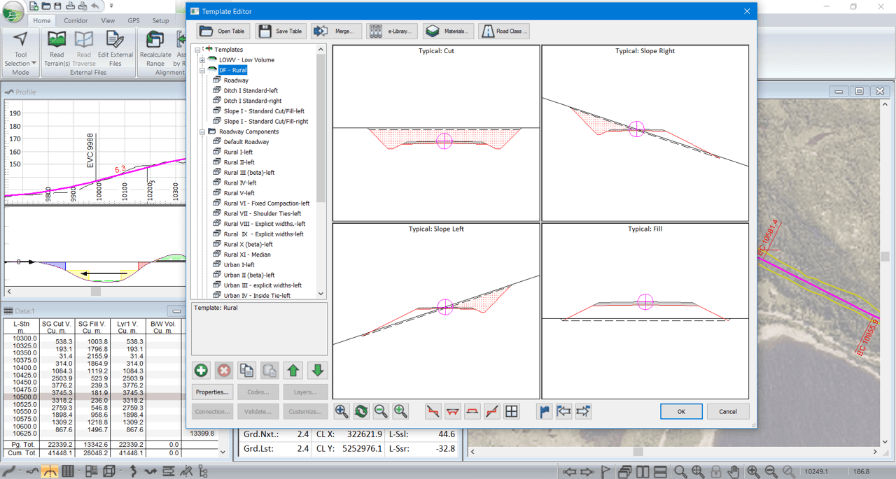
Operating as a standalone program, RoadEng allows you to
interactively design a road. Vertical and horizontal alignments can be created using the mouse.
RoadEng includes 4 window types, Plan, Profile, Cross Section, Data and Multi-Plot
(used for creating output sheets). Changes made in one window are instantaneously reflected
in adjoining windows. For example, an adjustment made to the alignment in the cross section
window will immediately alter the mass haul graph, and the slope stake projections
displayed in the profile, and plan windows.